Login

Menu

Pricing
User Manual Privacy Policy

User Manual

Important Note:

Please read the Privacy Policy carefully before using the application.

Open the app:

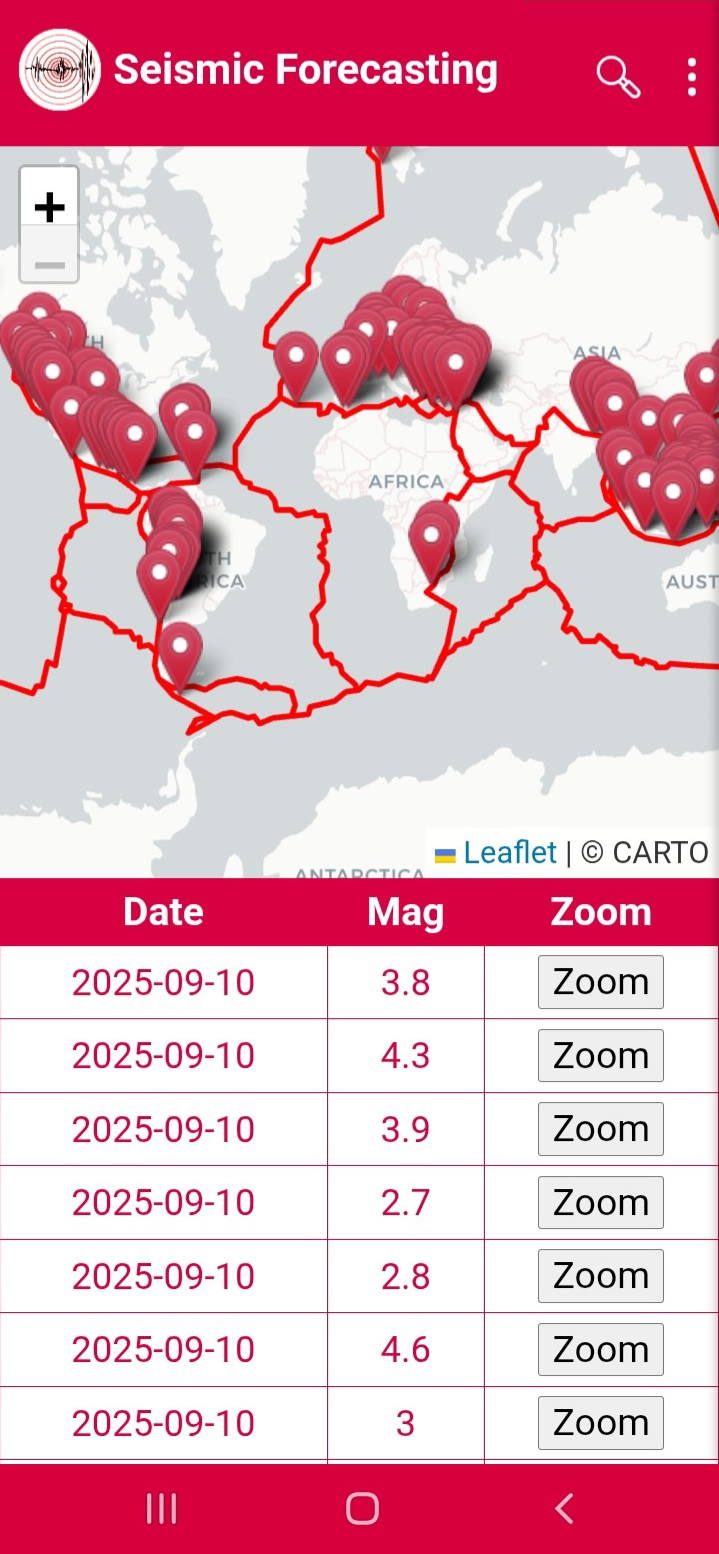
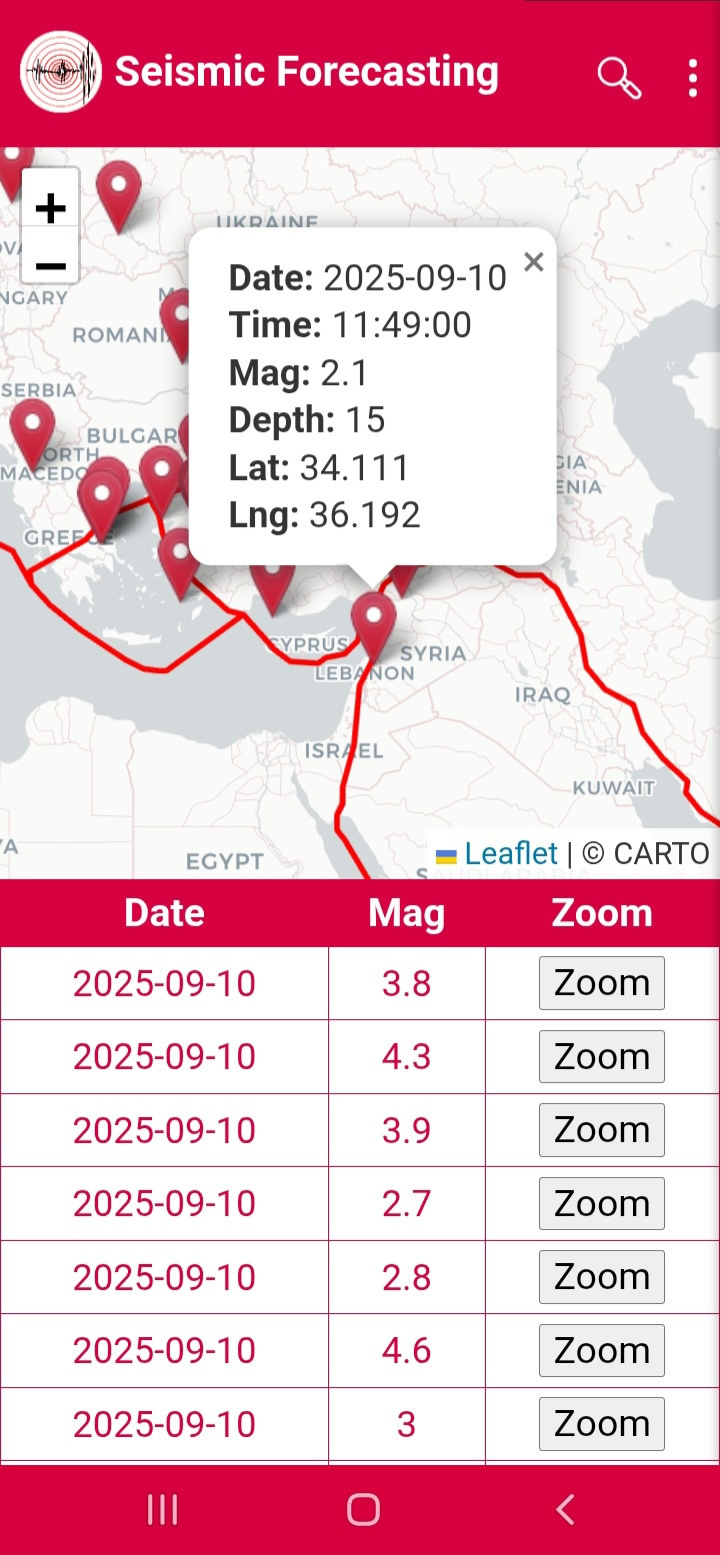
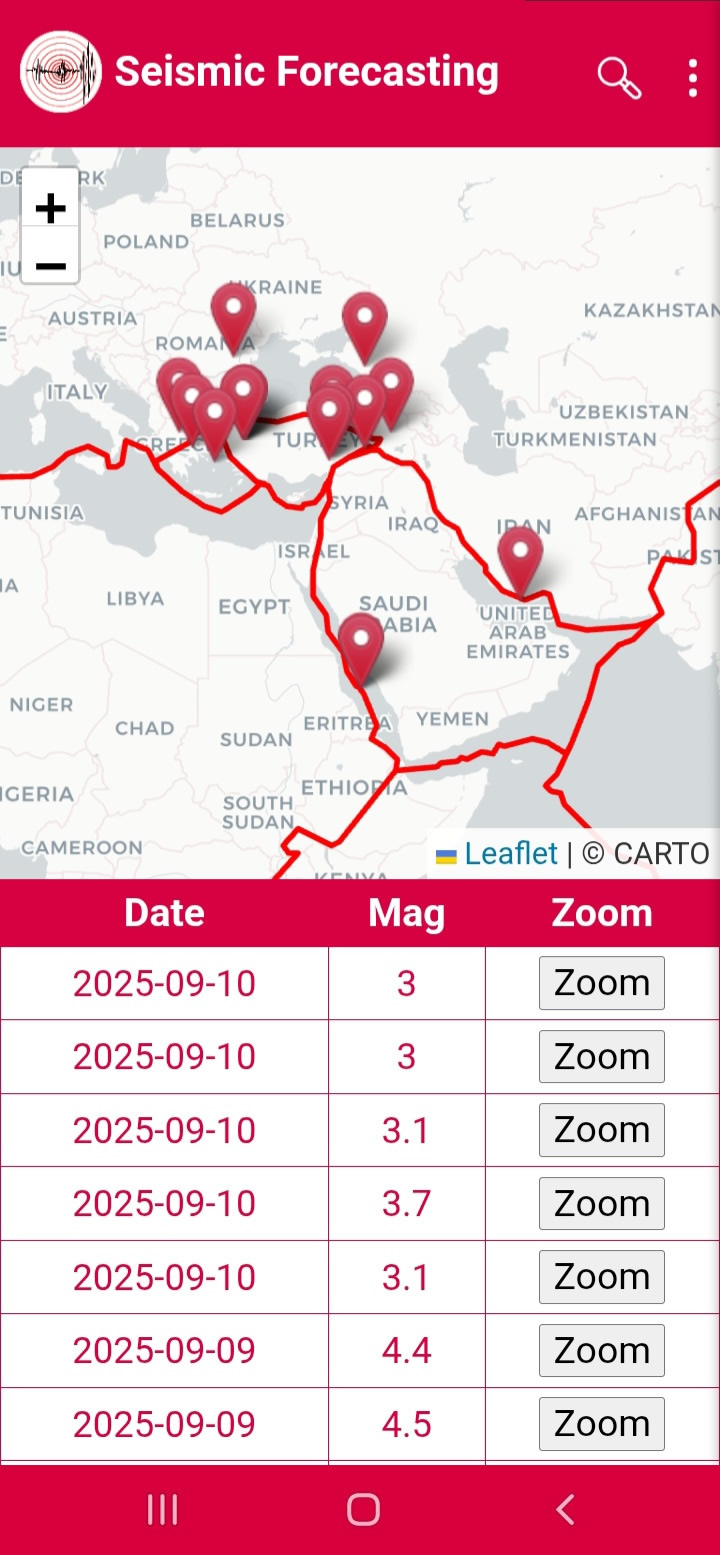
When the application is opened, the CARTO map appears, displaying the earthquakes that occur on a daily basis, along with a table showing the date and Magnitude of each earthquake, as well as a Zoom button (Figure 1). You can access detailed information about any earthquake either by clicking the Zoom button or by selecting the pin corresponding to that earthquake (Figure 2).

Figure1

Figure2

Searching for Earthquakes:

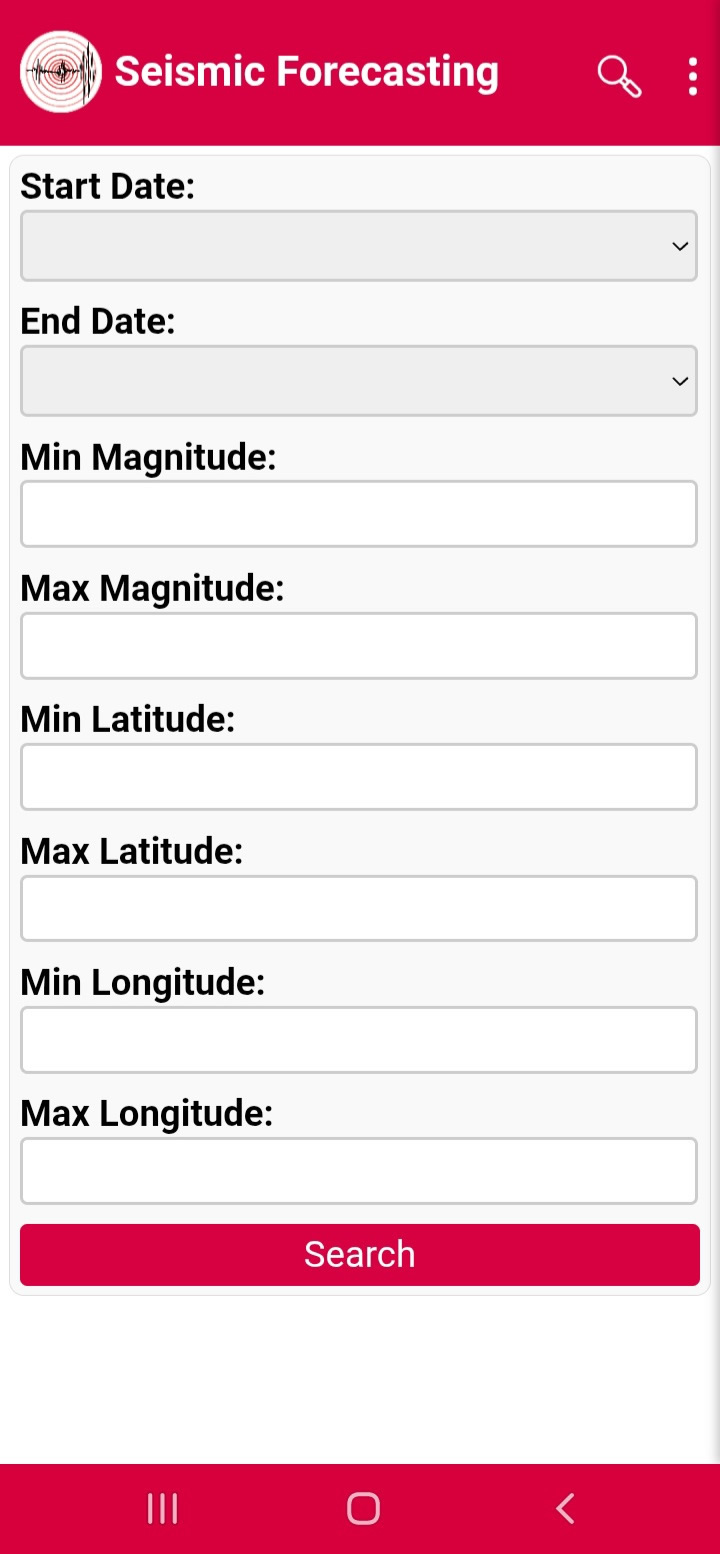
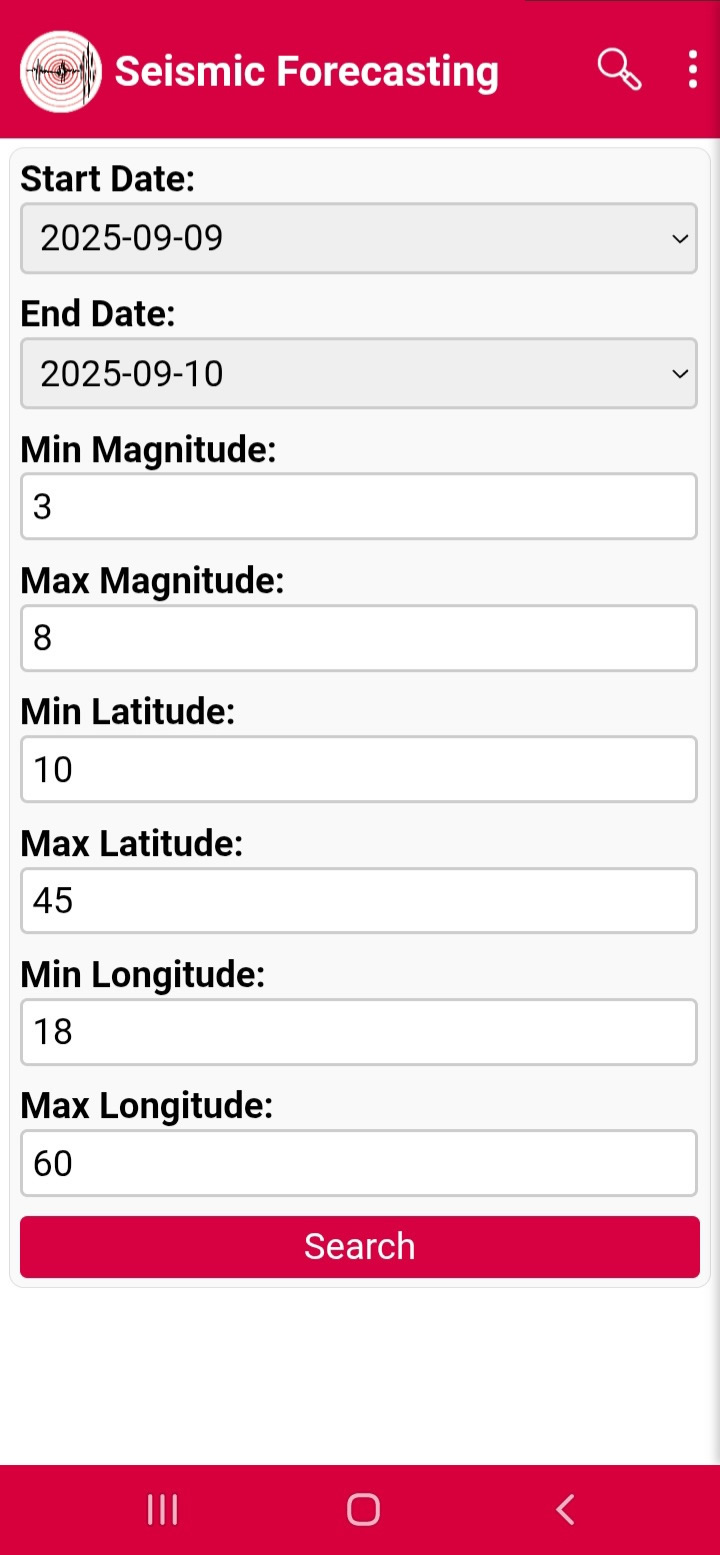
When you click the Search button, the search page opens (Figure 3), where you can search for earthquakes within a specific date range. Enter the earlier date in Start Date and the later date in End Date. You can also add a Magnitude range: specify the lower limit in Min Magnitude (e.g., 3) and the upper limit in Max Magnitude (e.g., 8). Additionally, you can define the search area by setting the latitude range (Min Latitude and Max Latitude) and longitude range (Min Longitude and Max Longitude) (Figure 4). By pressing Search, you will get a map displaying the events that match your search criteria (Figure 5).

Figure3

Figure4

Figure5

Menu:

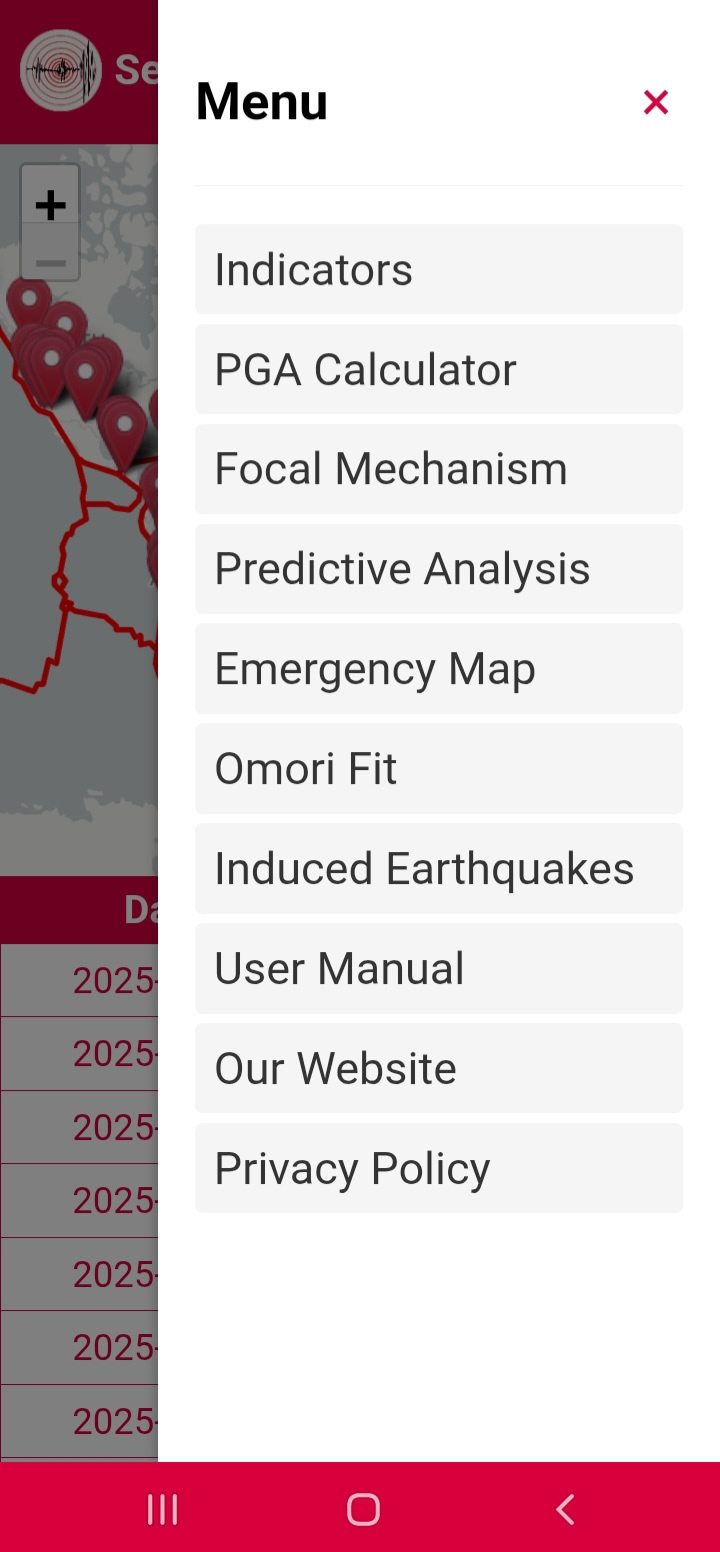
When you click on the three dots at the top-right corner of the screen, the application’s menu appears (Figure 6). It includes the following options: Indicators, PGA Calculator, Focal Mechanism, Predictive Analysis, Emergency Map, Omori Fit, Induced Earthquakes, User Manual, Our Website, and Privacy Policy.

Figure6

Indicators:

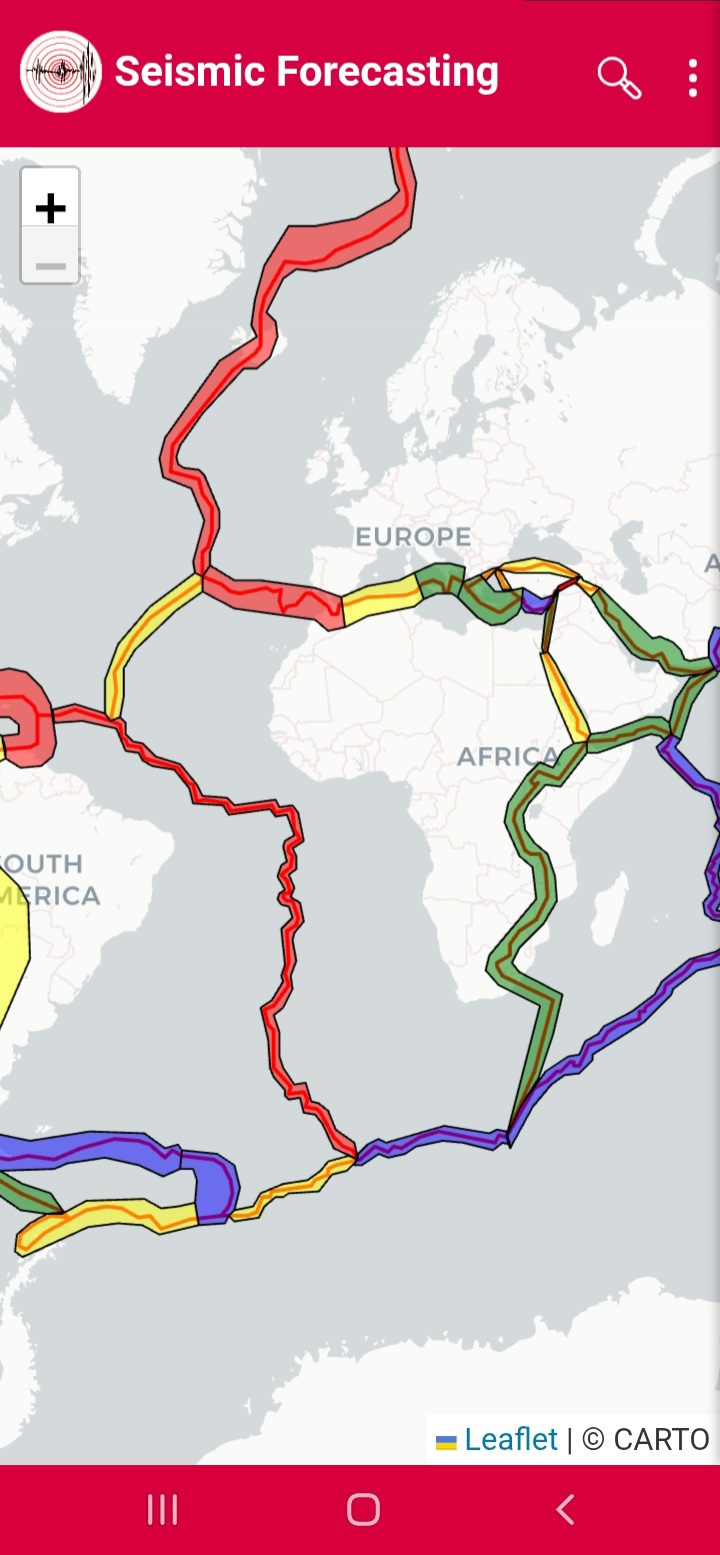
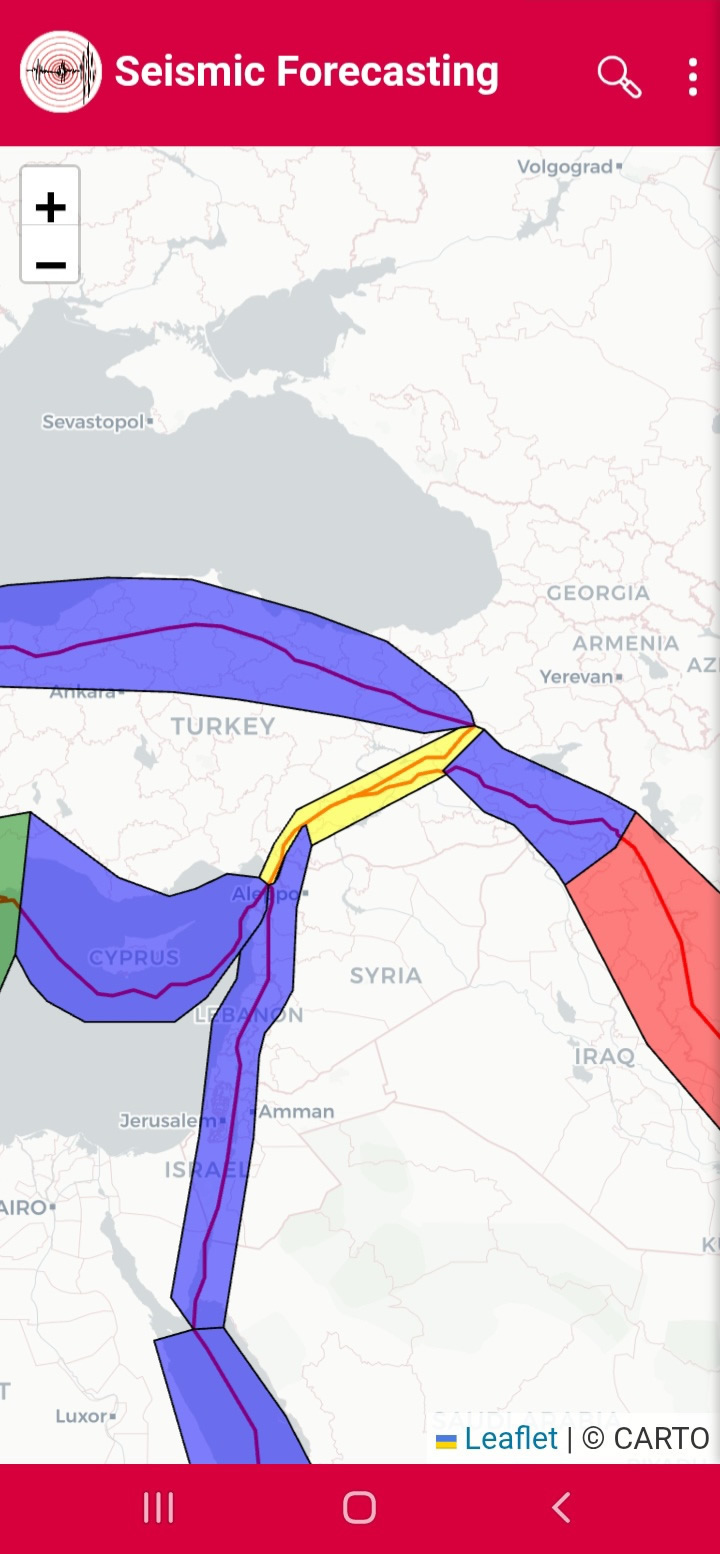
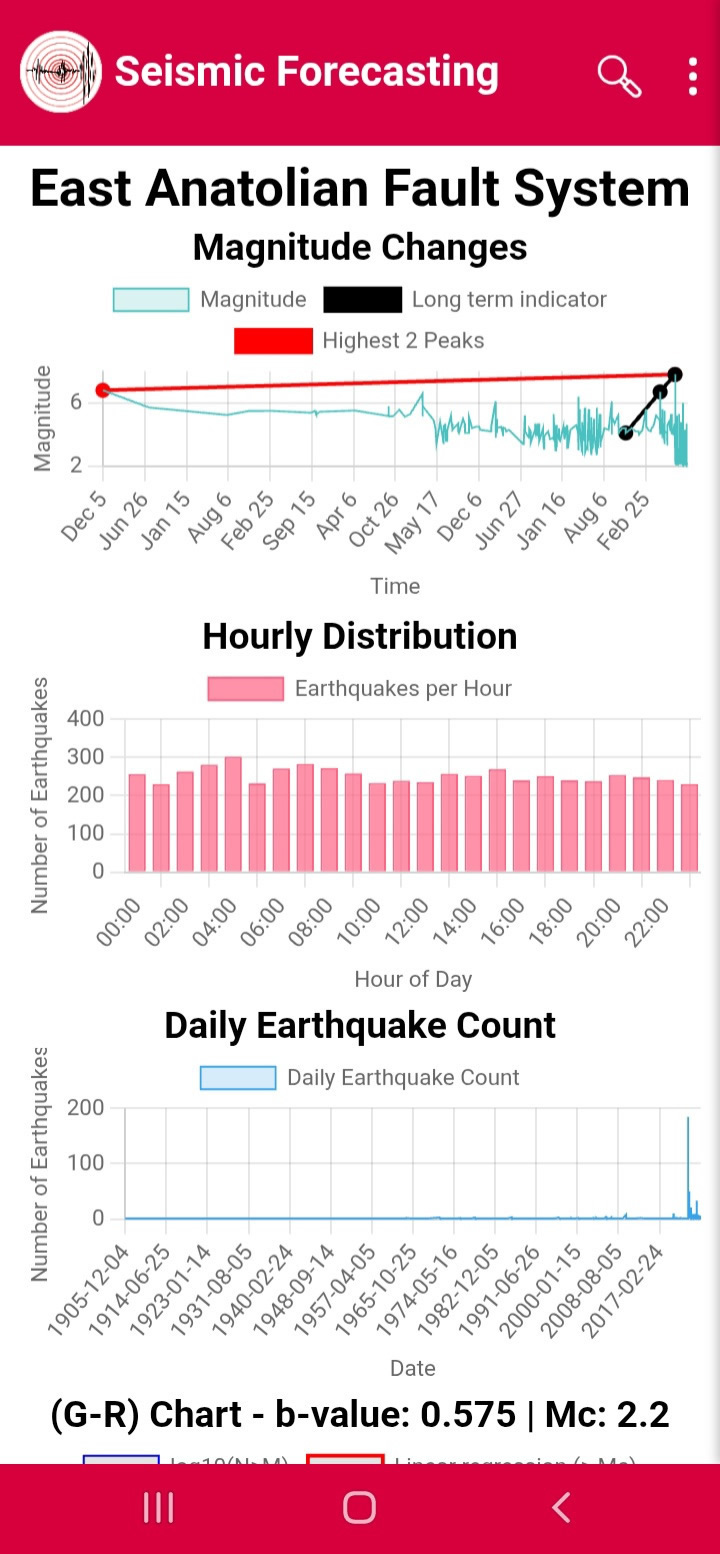
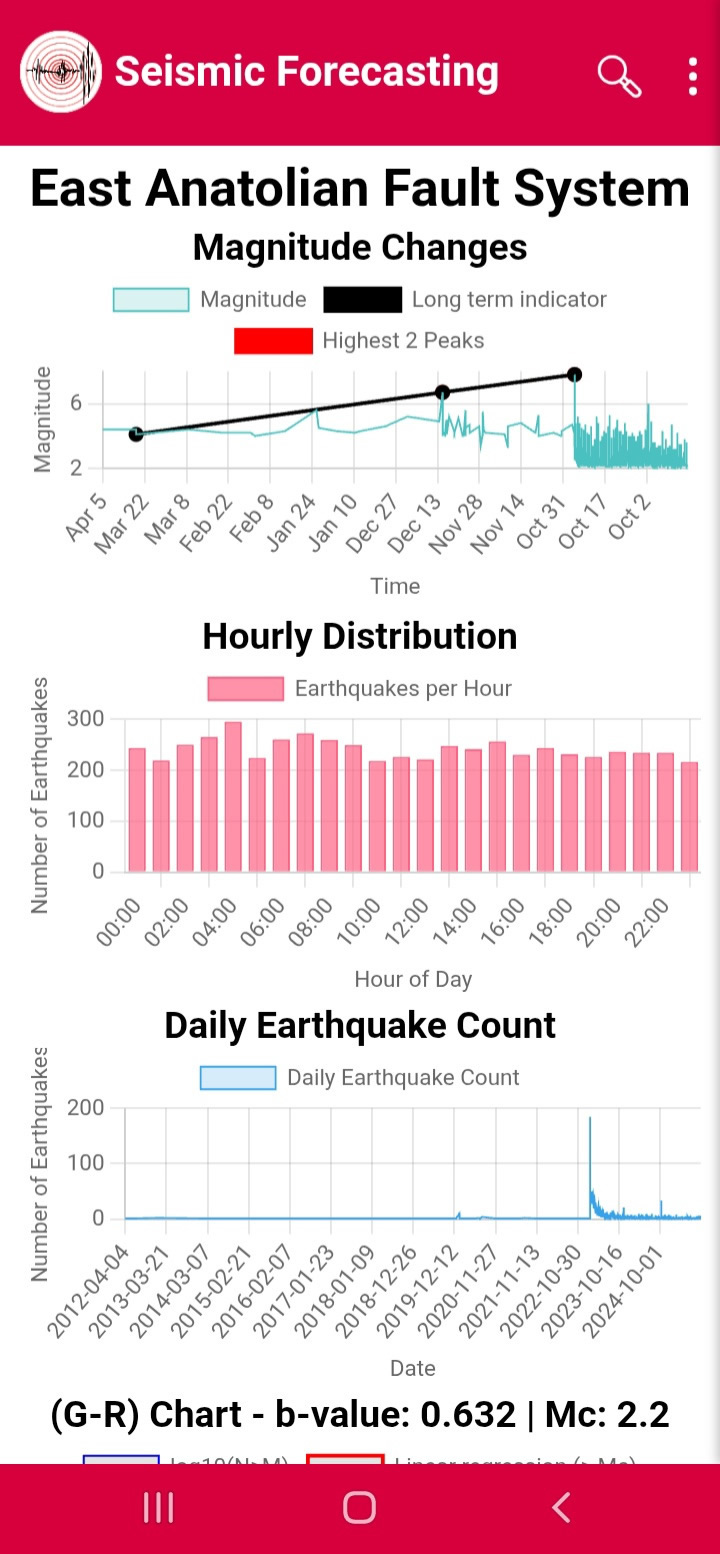
From the menu, click Indicators to open the map that displays the ranges of the main fault systems around the world (Figure 7). Click on one of the fault system ranges, for example the East Anatolian Fault System (the polygon shown in yellow) (Figure 8). This will open the indicators page for the selected fault system, which may take some time to load the statistical charts. A total of seven charts will appear: 1. Magnitude variation over time (Figure 9), which includes: A red line showing the maximum range indicator. A black line serving as an indicator for long-term, medium-term, and short-term activity depending on the selected time period. 2. Hourly distribution of earthquakes (Figure 9), which helps verify the accuracy of the seismic record. For example, if there is a large increase in recorded events during morning and noon hours, this may indicate the inclusion of quarry blasts in the seismic catalog, which is considered a serious error. 3. Number of earthquakes over time (Figure 9). 4. Gutenberg–Richter plot with b-value and completeness Magnitude (Mc) (Figure 10). The b-value measures the ratio between small and large earthquakes. A large b-value (b > 1) indicates a relatively higher proportion of small earthquakes, often linked to heterogeneous fracturing, fluids, heat, or volcanic systems, and is sometimes considered a “reassuring” sign since large events are relatively less probable. A small b-value less than 1 indicates a relatively higher proportion of large earthquakes, which may suggest increased stress, a uniform rupture pattern, or that the region is under significant tectonic stress, hence a relatively higher probability of a large earthquake. 5. Cumulative number of earthquakes with z-value variations (Figure 10). The z-value is a statistical indicator used to compare seismic activity in a given time window with a reference period. Its purpose is to determine whether current activity is higher or lower than normal. It can be used to monitor seismic activity, detect areas with significant increases that may be related to the risk of a large earthquake or volcanic activity, a nd as one of the probabilistic tools in earthquake forecasting studies. It also helps distinguish between normal and abnormal seismic behavior, showing whether the region is following its usual pattern or experiencing noticeable changes in activity level. 6. b-value variations over time (Figure 10). 7. Completeness Magnitude (Mc) variations over time (Figure 10). At the bottom of these statistical charts, there is a button labeled Select time and Mag ranges, which allows the user to set the time interval and minimum earthquake Magnitude used in the indicators analysis. When you click it (Figure 11), you can enter the start date, end date, and minimum Magnitude. For example, for the East Anatolian Fault System, if we set the start date to 01-01-2012, the end date to 12-09-2025, and the minimum Magnitude to 2 (Figure 12), then click Data filtering, the result will be displayed (Figure 13). This result shows the long-term indicator for the 2023 Turkey–Syria earthquake, where the peaks of the curve increase linearly over time. This helps in estimating the Magnitude of the next large earthquake and its approximate occurrence time, especially after identifying the seismic cycle of the fault system.

Figure7

Figure8

Figure9

Figure10

Figure11
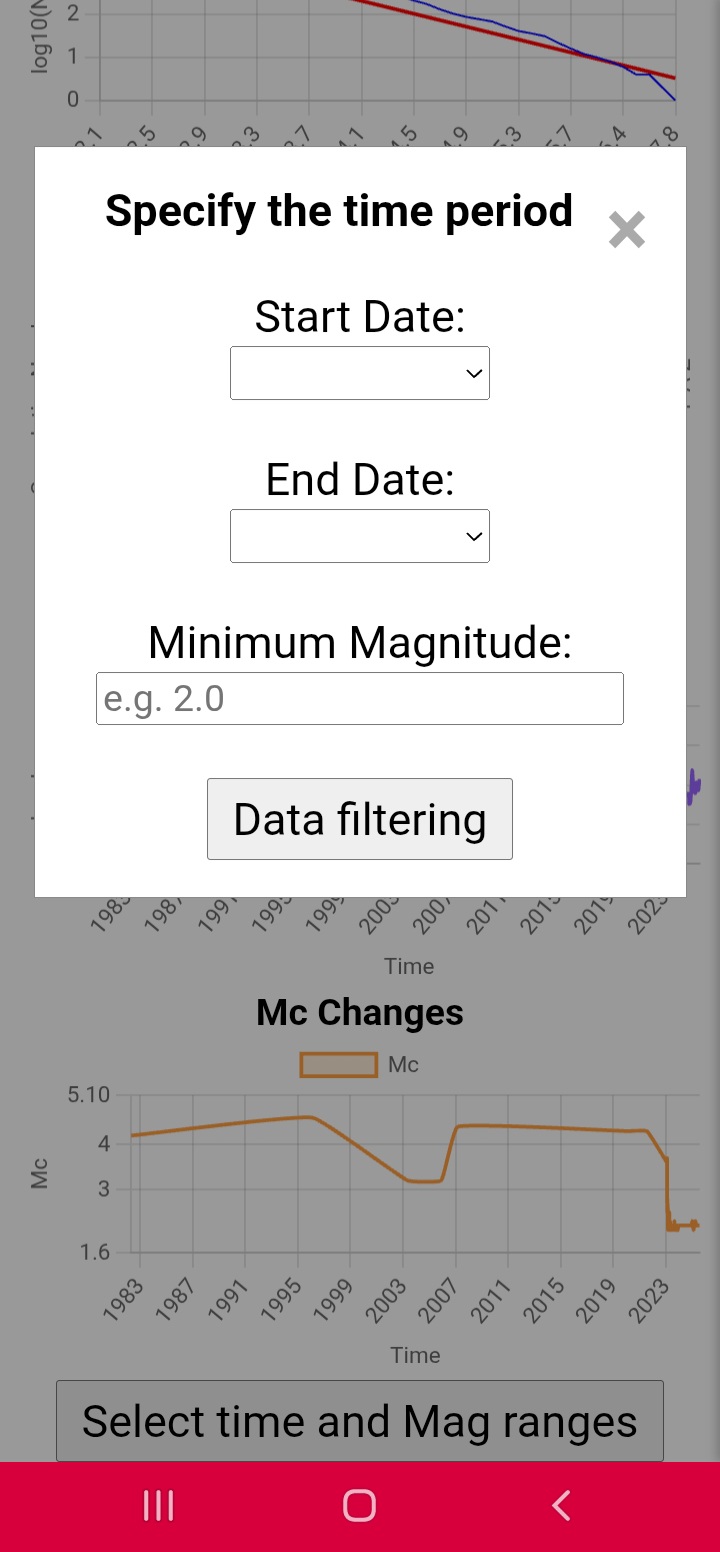
Figure12
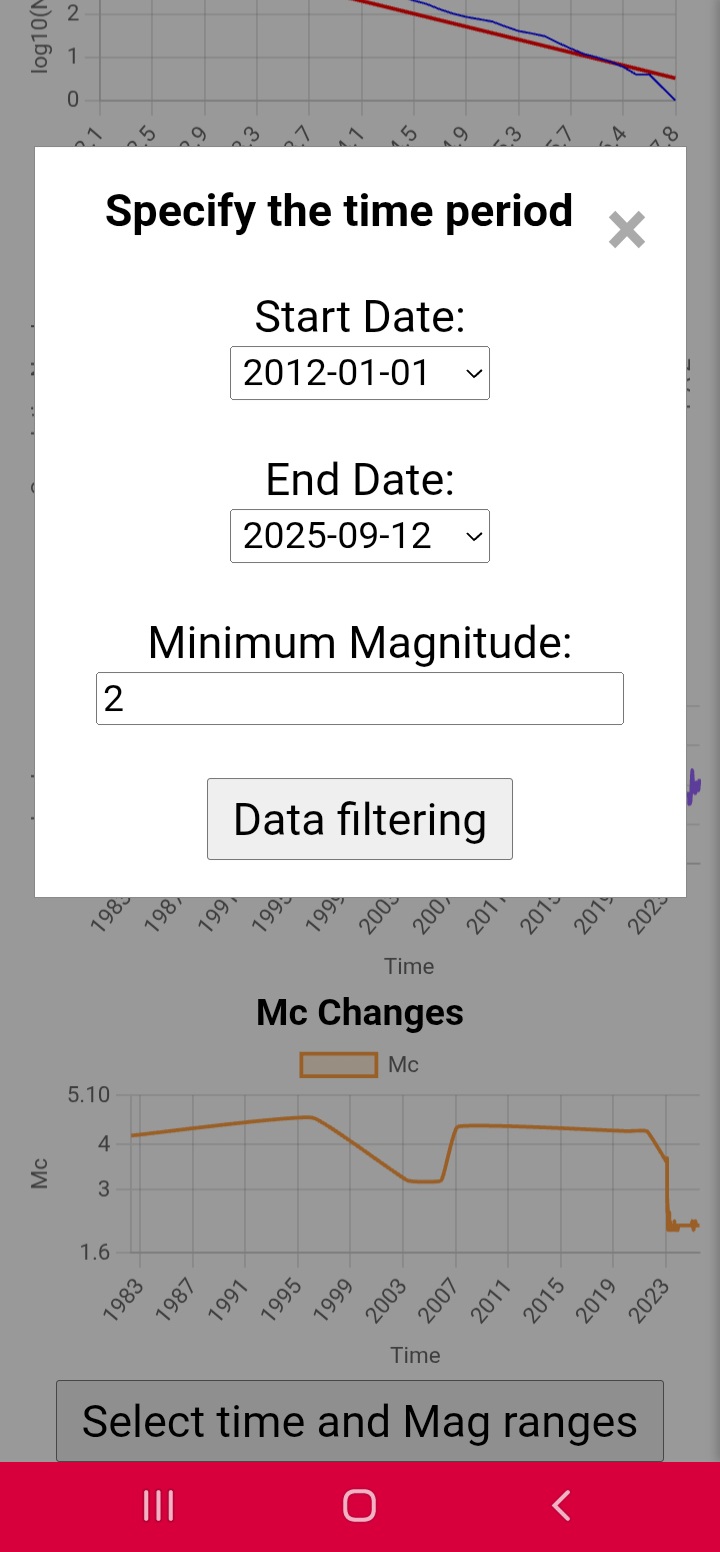
Figure13
PGA Calculator:

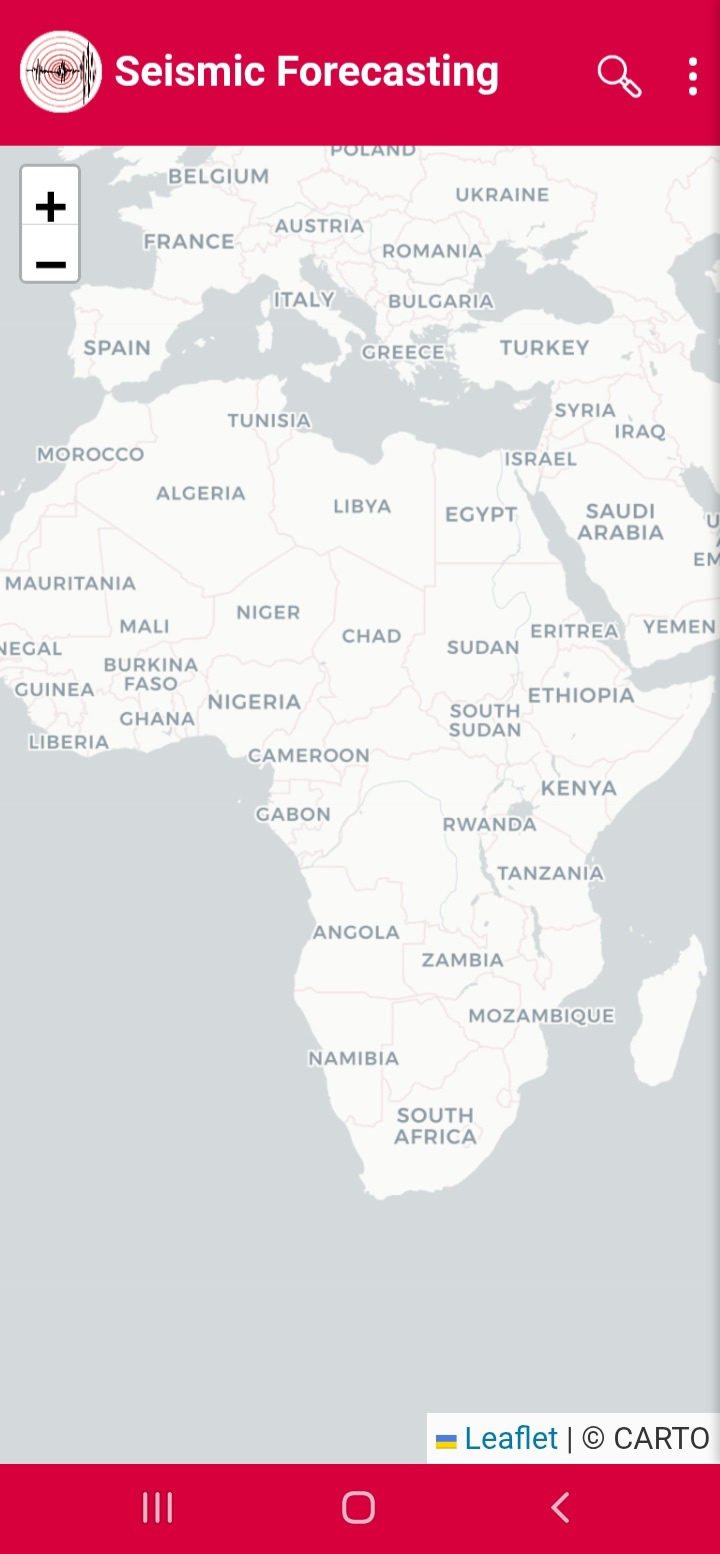
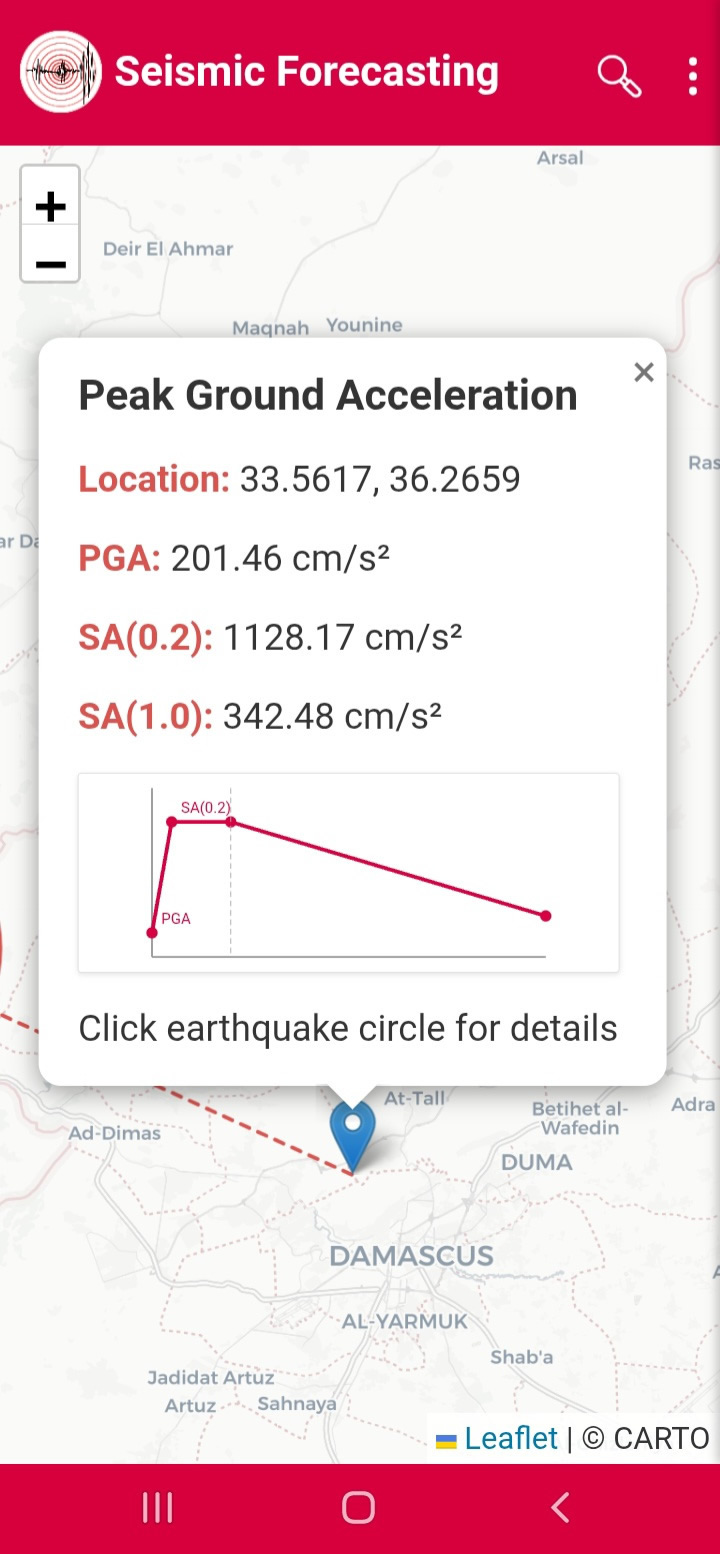
From the menu, select PGA Calculator to open the Carto map (Figure 14). Click on any point on the map to calculate the Peak Ground Acceleration (PGA) and the spectral accelerations SA(0.2) and SA(1.0) on the rock layer for a return period of 475 years (Figure 15).

Figure14

Figure15

Focal Mechanism:

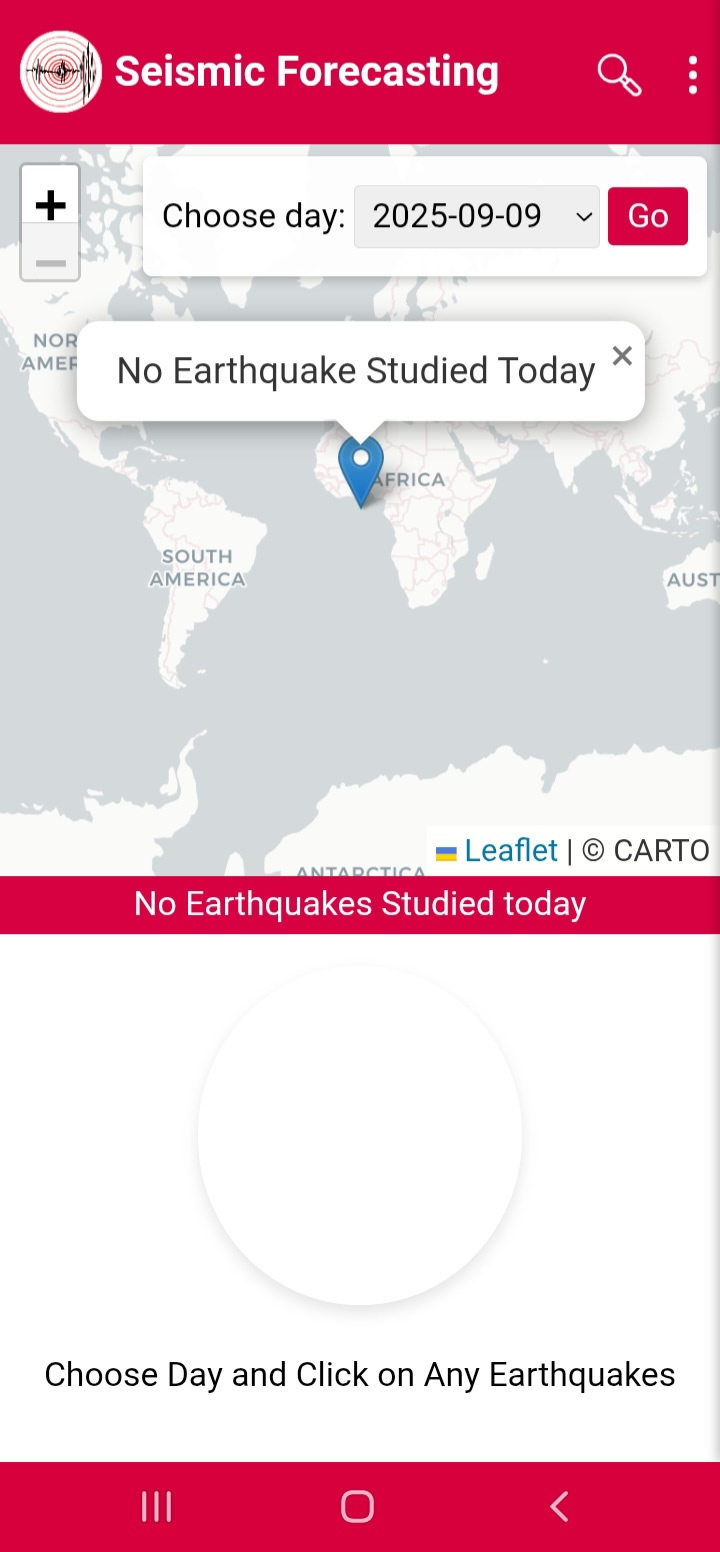
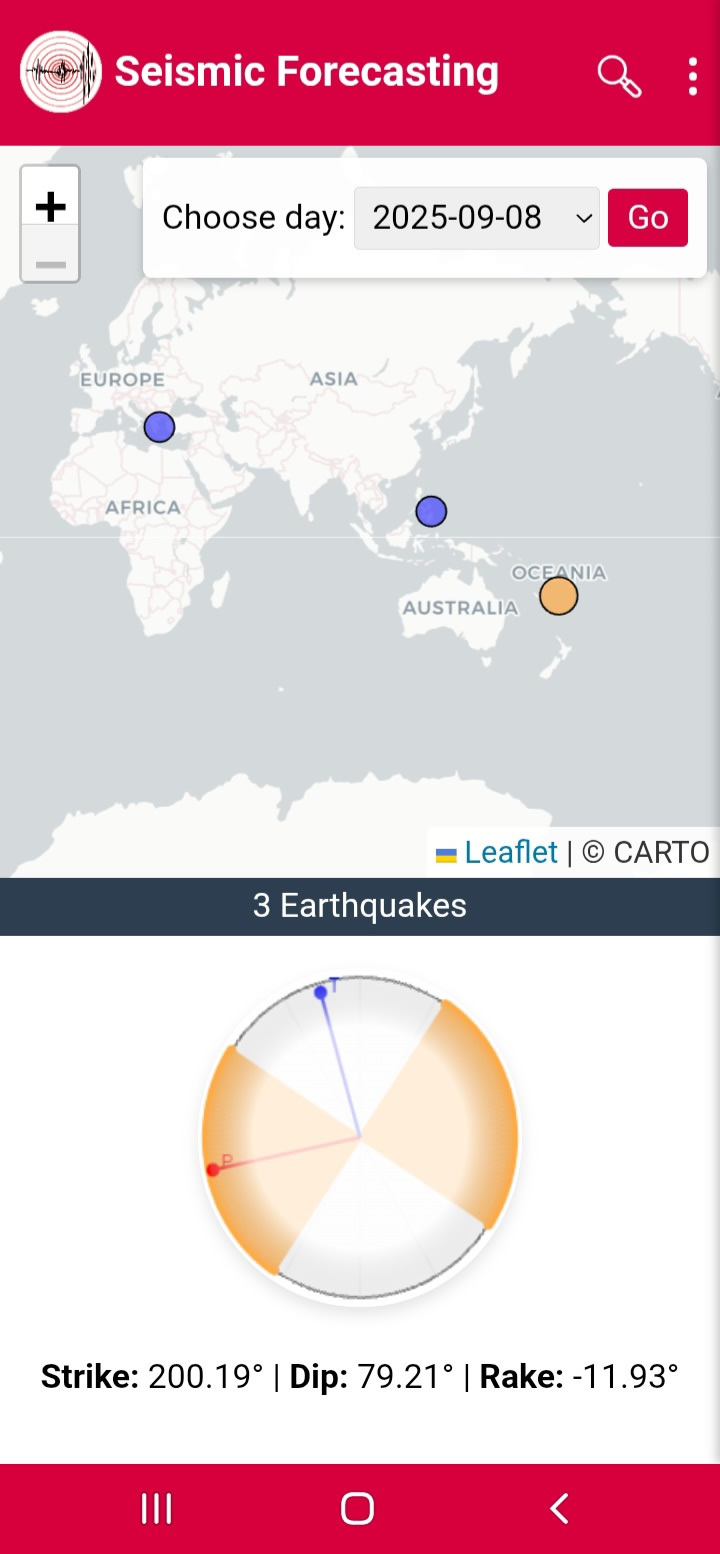
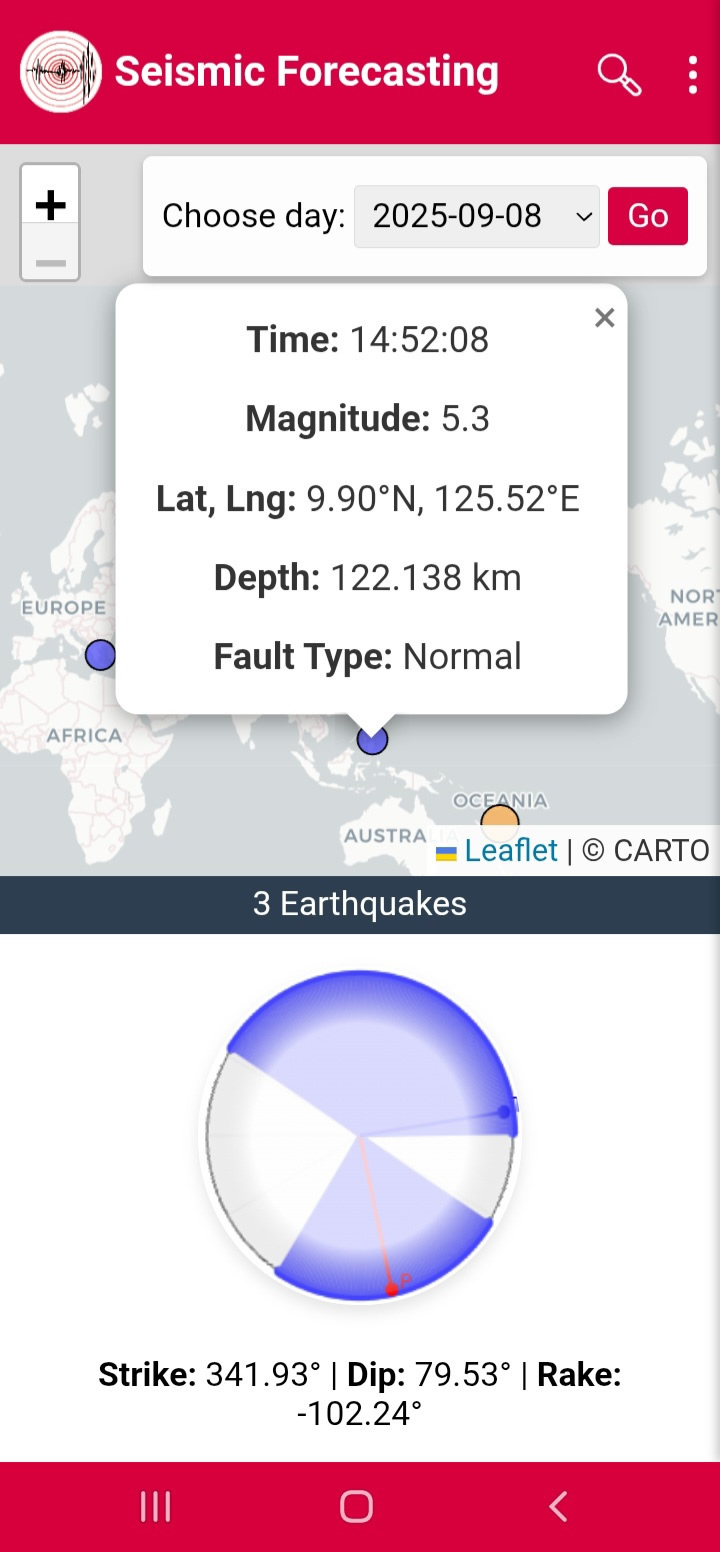
From the menu, select Focal Mechanism to open the Carto map in the upper section and the beach ball diagram in the lower section (Figure 16). Next to Choose day, select a date and click Go (Figure 17). The earthquakes for which the focal mechanism has been analyzed will then be displayed. For example, on 08-09-2025, you will find three analyzed earthquakes. When you click on one of these earthquakes, the data for Strike, Dip, Rake, and Fault Type will be shown (Figure 18).

Figure16

Figure17

Figure18

Predictive Analysis:

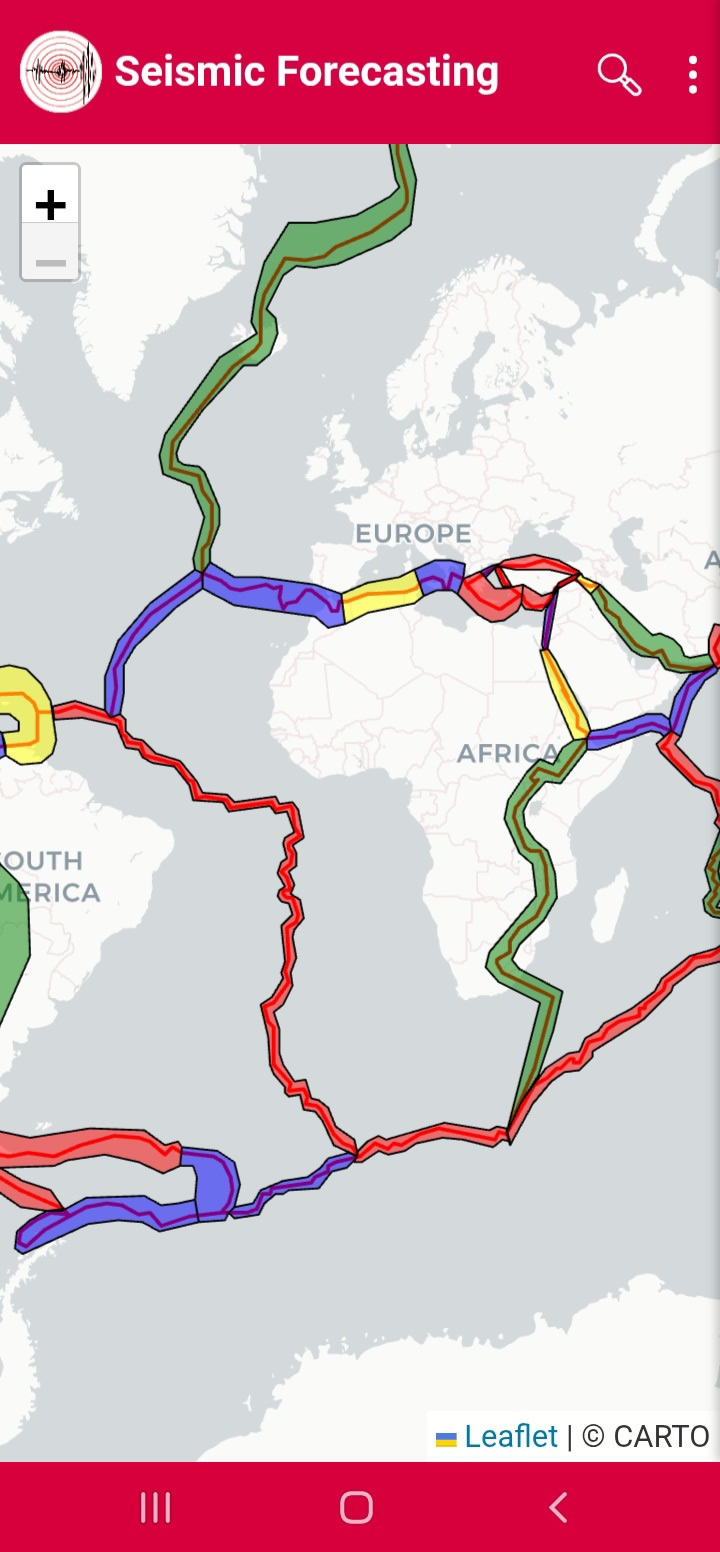
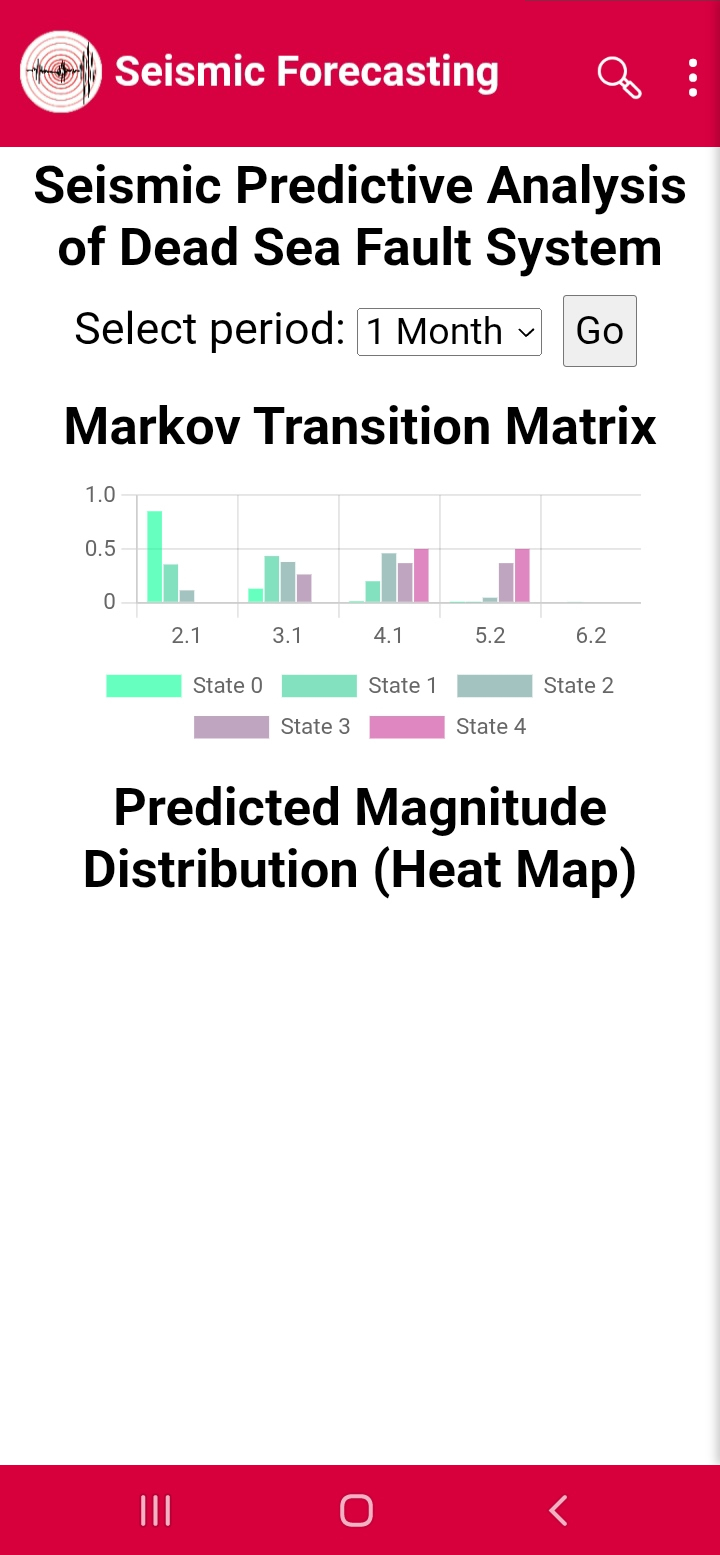
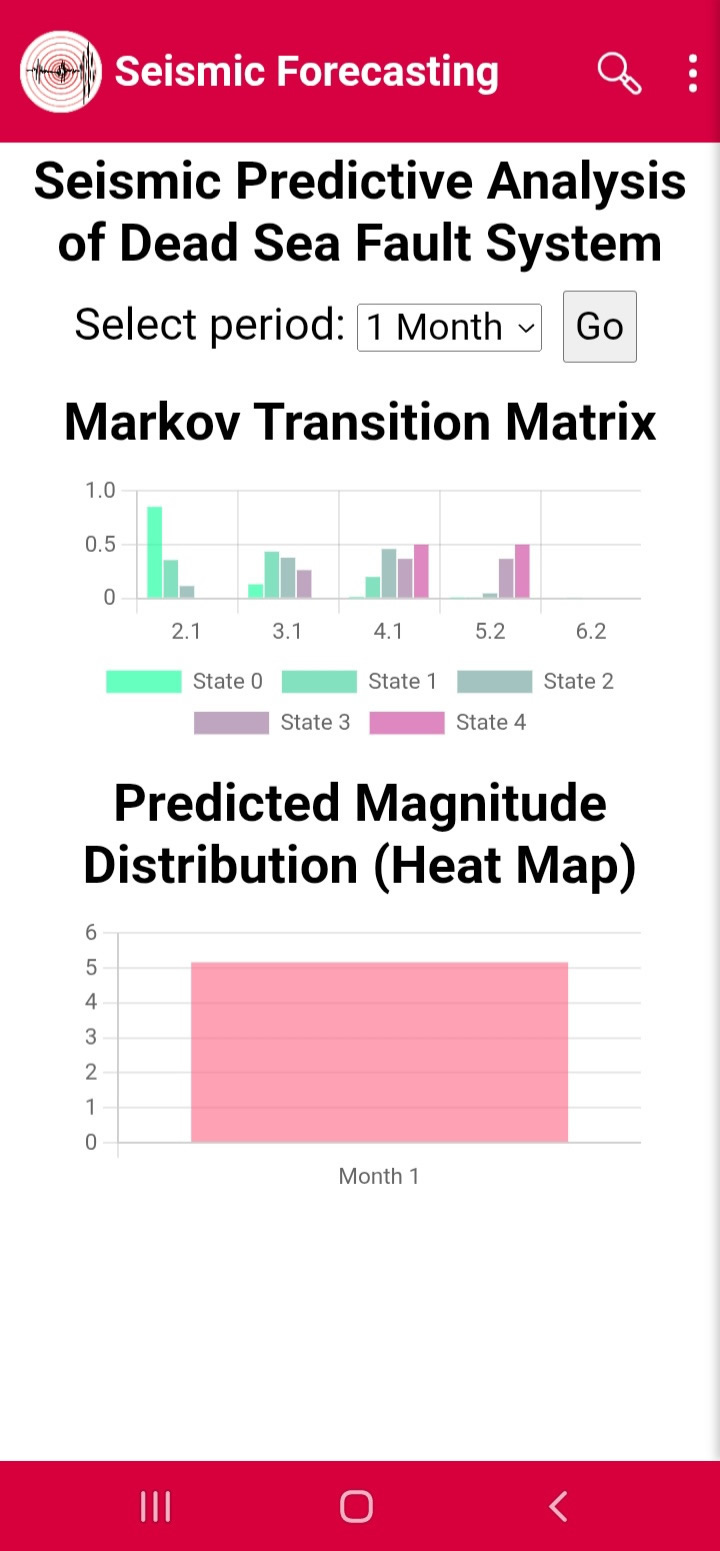
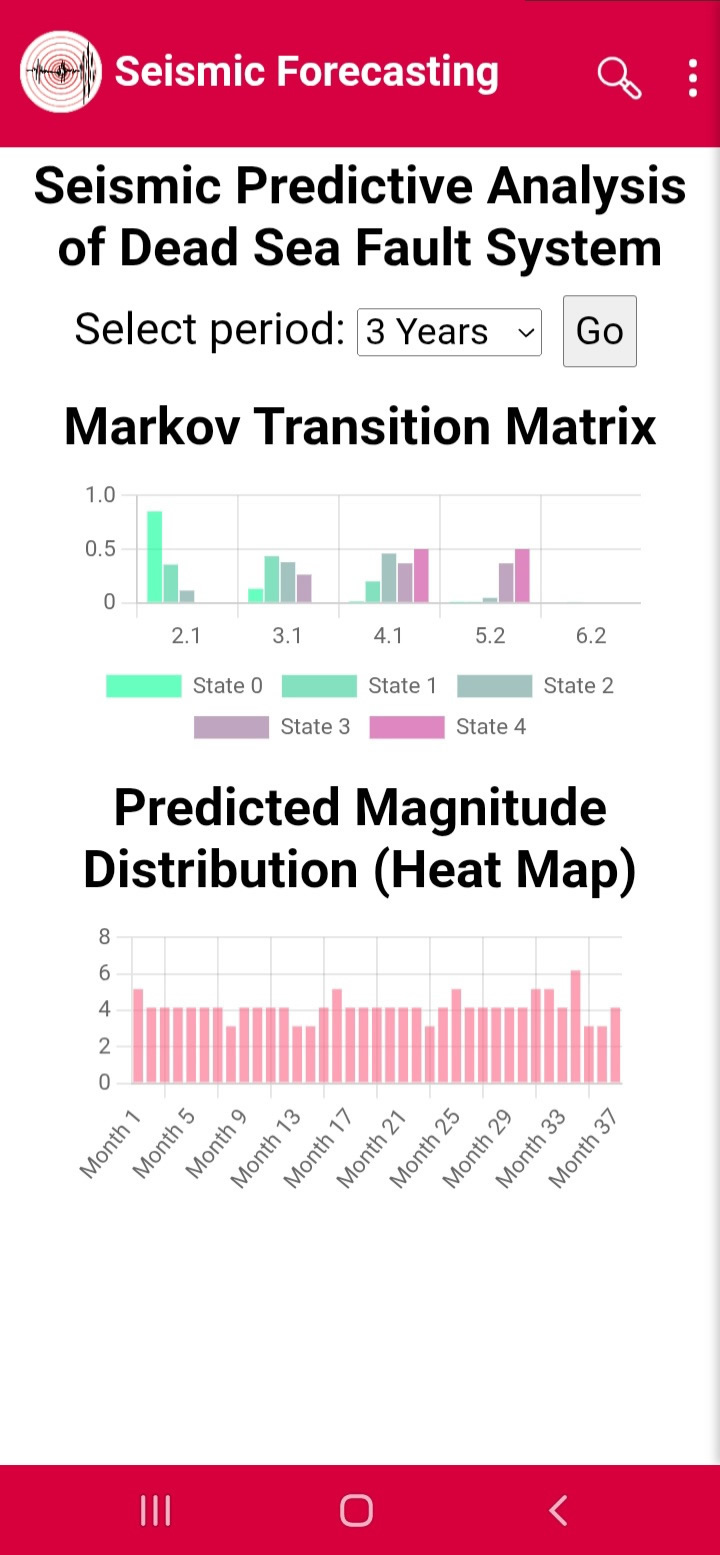
From the menu, click Predictive Analysis to open the map displaying the ranges of major fault systems around the world (Figure 19). Click on one of the systems—such as the Dead Sea Fault System—to obtain the Markov Transition Matrix data (Figure 20). Next to Select period, you can choose the prediction period (one month, three years, or fifteen years), then click the Go button to calculate the expected maximum Magnitude (Figures 21 and 22).

Figure19

Figure20

Figure21

Figure22
Emergency Map:

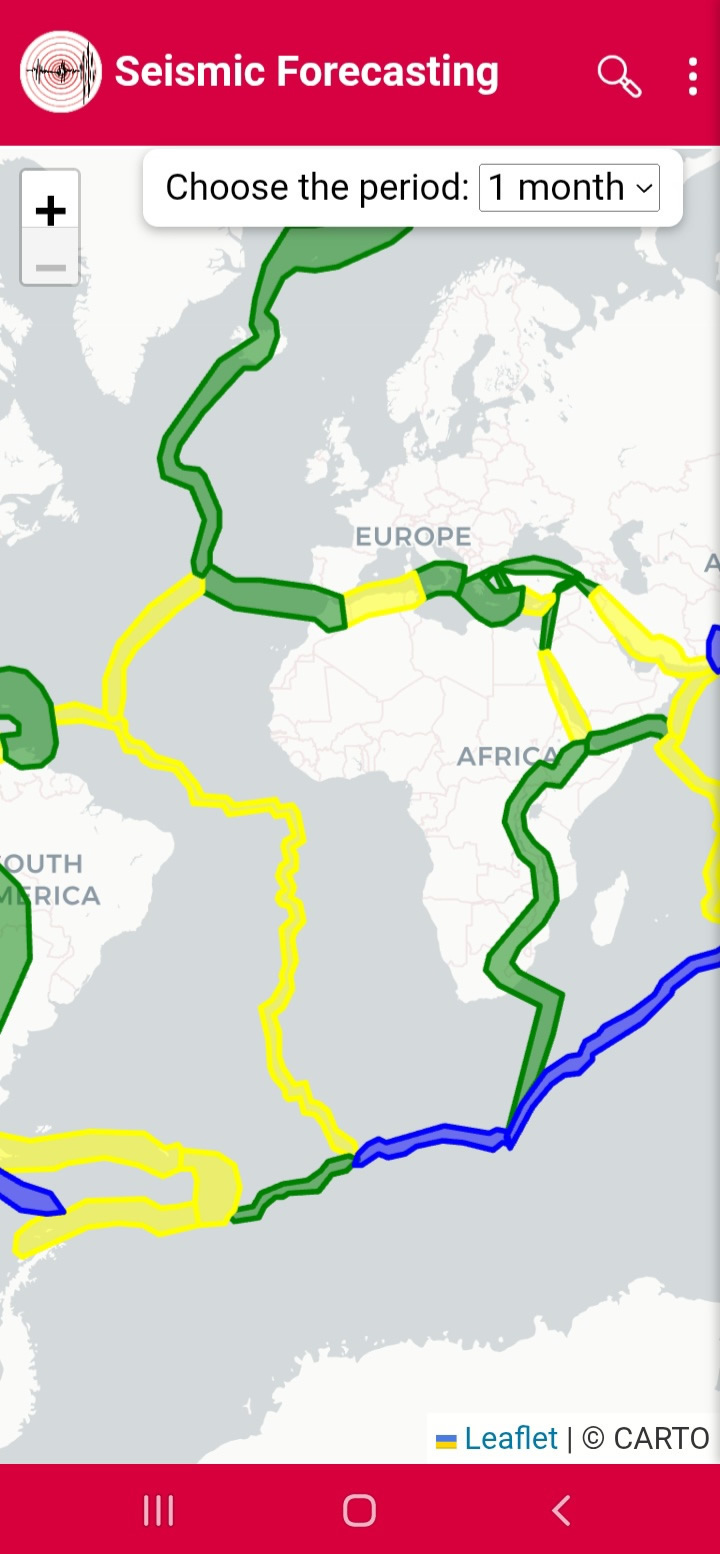
From the menu, click Emergency Map to open the map that displays the ranges of major fault systems around the world, color-coded according to the expected hazard level for the coming month (Figure 23). Green indicates minor hazard, yellow indicates moderate, blue indicates above-moderate, and red indicates high hazard. You can click on any fault system to view the expected maximum Magnitude (Figure 24). This Magnitude is not guaranteed to occur, as each prediction carries a certain probability of occurrence. Additionally, next to Choose the period, you can select the prediction period (three years or fifteen years).

Figure23

Figure24

Omori Fit:

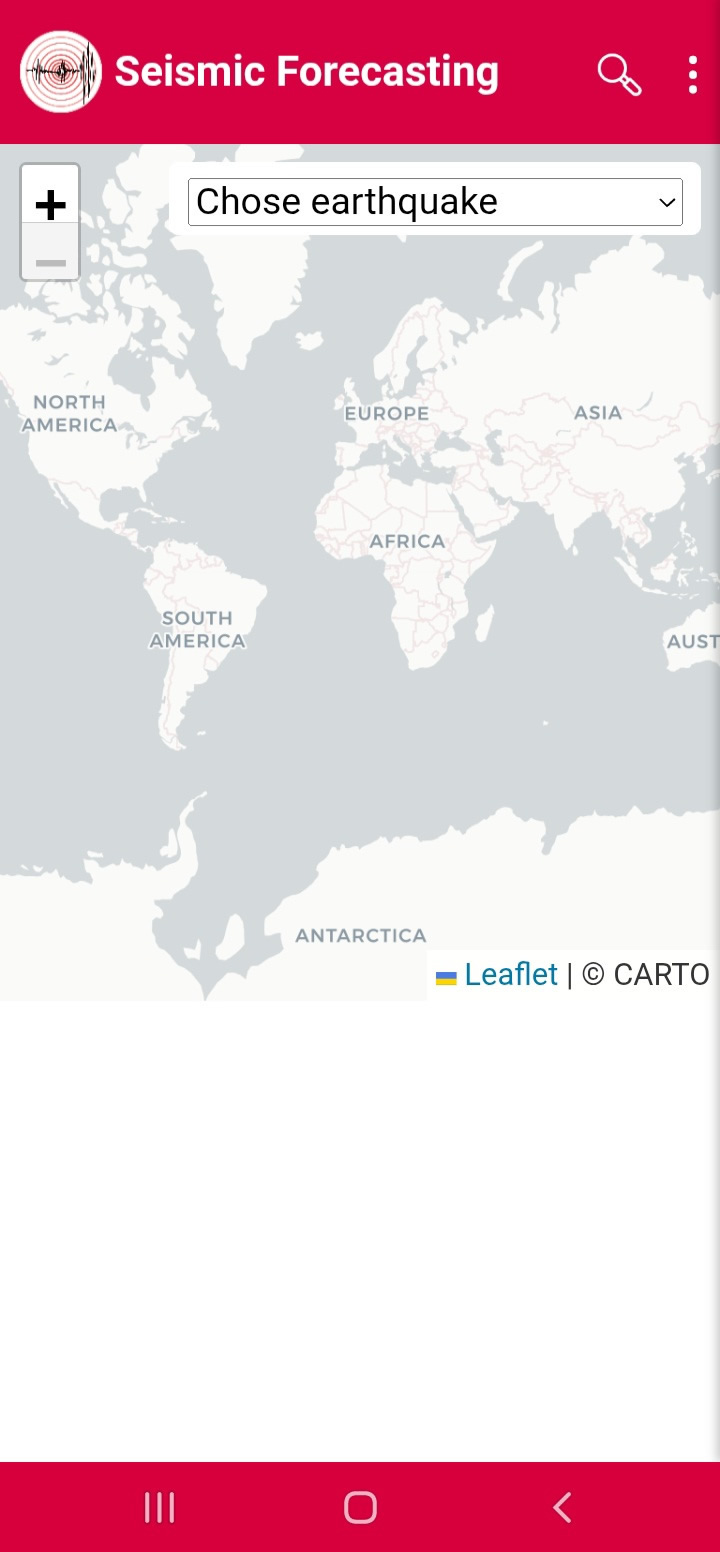
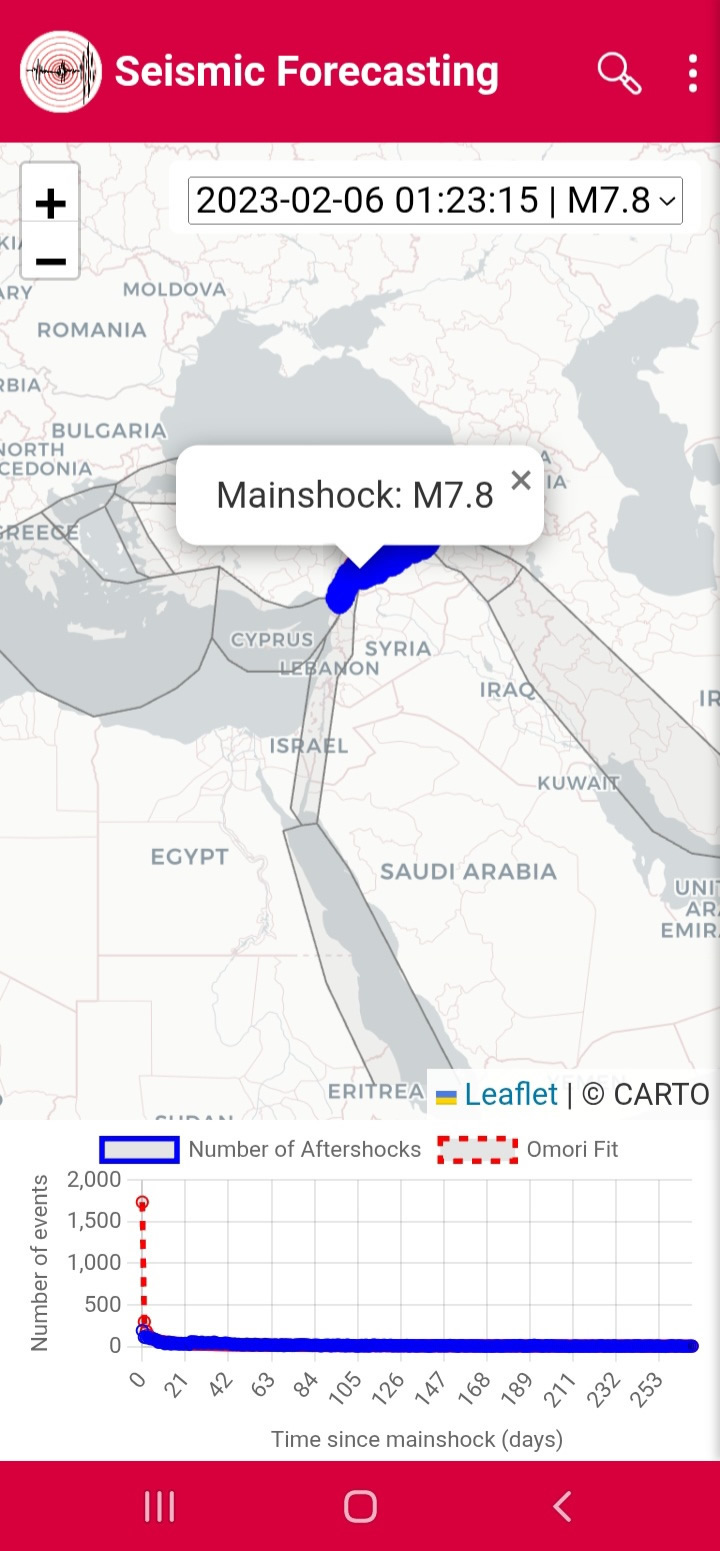
From the menu, click Omori Fit to open the Carto map (Figure 25). Click Choose Earthquake and select one of the earthquakes—for example, the 2023 Turkey-Syria earthquake. Wait a few moments for the data to be processed, and then the mainshock, aftershocks, the Omori curve, and the decay plot will be displayed (Figure 26).

Figure25

Figure26

Induced Earthquake:

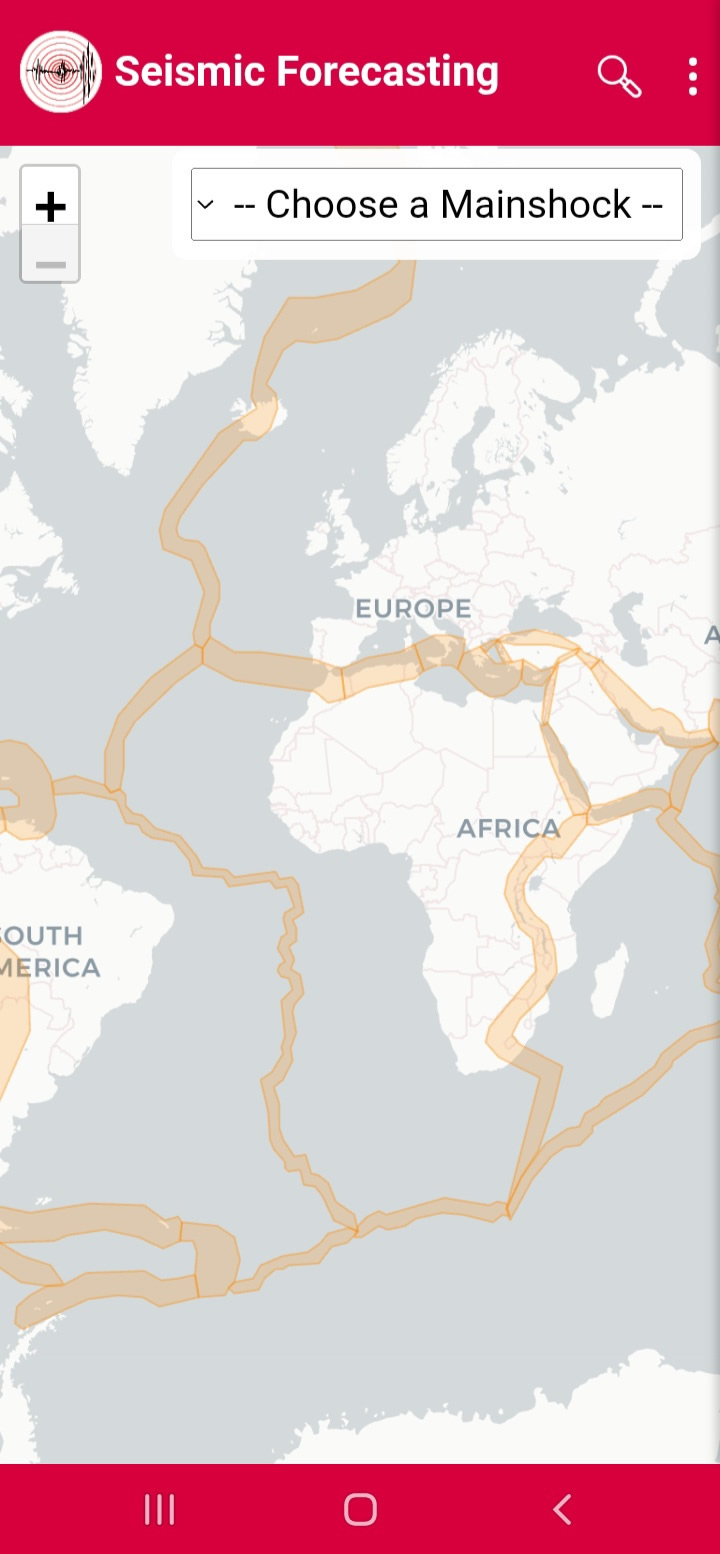
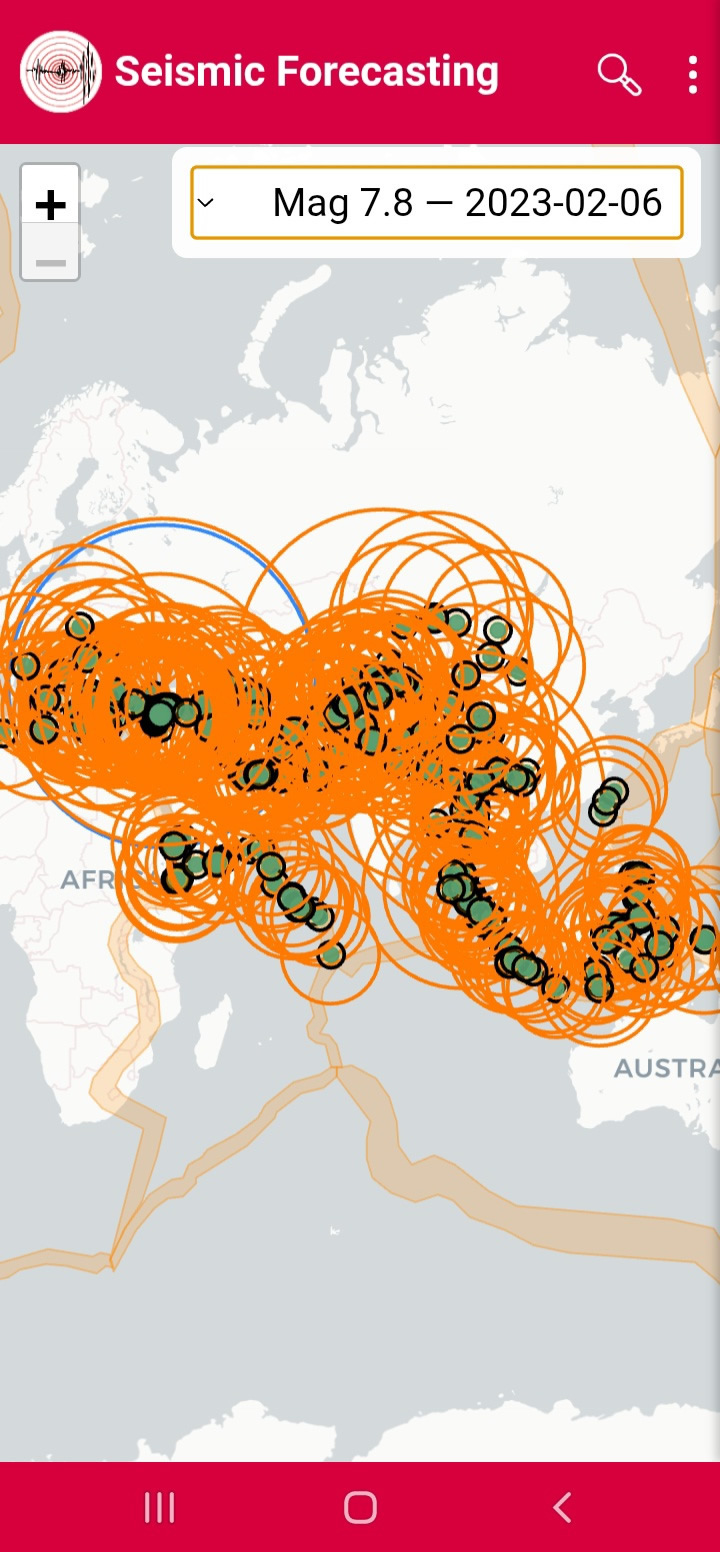
From the menu, click Induced Earthquake and wait a few moments for the Carto map to open (Figure 27). Click Choose a Maishoke and select one of the earthquakes—for example, the 2023 Turkey-Syria earthquake. After a short data processing time, the induced impact zone resulting from the earthquake will be displayed (Figure 28).

Figure27

Figure28